# Export a table in Affinity

#### Affinity apps import ASE (Adobe Swatch Exchange) formats/pallets.

#### From Coraye, export the table in Adobe Creative .ase format

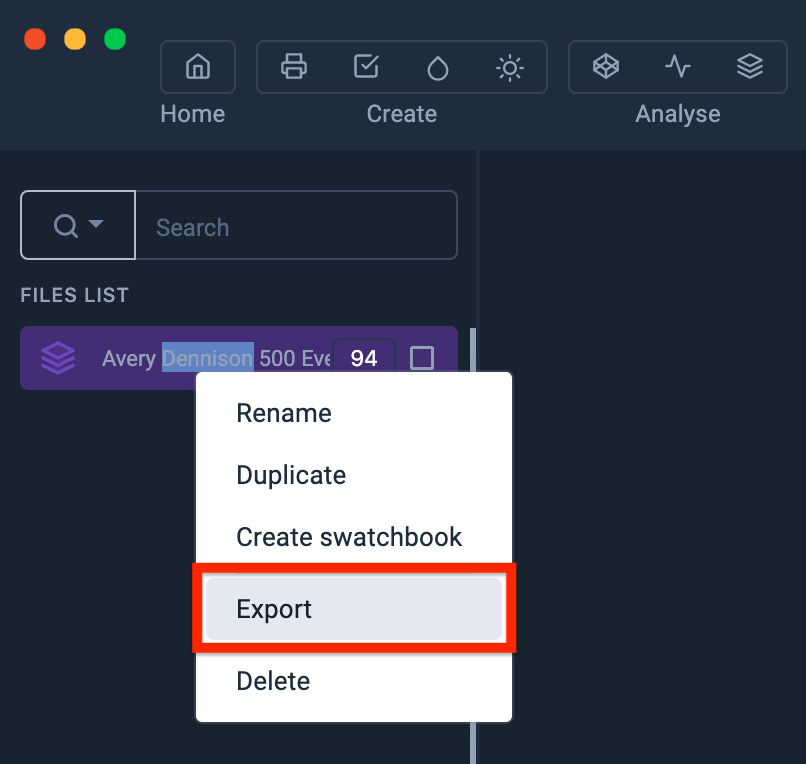
By right-clicking, you will have access to the export functionalities.  
Select "Export"

<span data-slate-fragment="JTdCJTIyb2JqZWN0JTIyJTNBJTIyZG9jdW1lbnQlMjIlMkMlMjJkYXRhJTIyJTNBJTdCJTdEJTJDJTIybm9kZXMlMjIlM0ElNUIlN0IlMjJvYmplY3QlMjIlM0ElMjJibG9jayUyMiUyQyUyMnR5cGUlMjIlM0ElMjJoZWFkaW5nLTIlMjIlMkMlMjJpc1ZvaWQlMjIlM0FmYWxzZSUyQyUyMmRhdGElMjIlM0ElN0IlN0QlMkMlMjJub2RlcyUyMiUzQSU1QiU3QiUyMm9iamVjdCUyMiUzQSUyMnRleHQlMjIlMkMlMjJsZWF2ZXMlMjIlM0ElNUIlN0IlMjJvYmplY3QlMjIlM0ElMjJsZWFmJTIyJTJDJTIydGV4dCUyMiUzQSUyMkV4cG9ydGVyJTIwbGElMjB0YWJsZSUyMGF1JTIwZm9ybWF0JTIwV2FzYXRjaCUyMiUyQyUyMm1hcmtzJTIyJTNBJTVCJTVEJTdEJTVEJTdEJTVEJTdEJTVEJTdE">[![image-1628772100786.png](https://wiki.coraye.com/uploads/images/gallery/2021-08/scaled-1680-/image-1628772100786.png)](https://wiki.coraye.com/uploads/images/gallery/2021-08/image-1628772100786.png)</span>

<div id="bkmrk-"><div><svg class="svg-icon" data-icon="link" role="presentation" viewbox="0 0 24 24" xmlns="http://www.w3.org/2000/svg"></svg></div></div>A new window appears Select the ".ase" icon

[![image-1628782446758.png](https://wiki.coraye.com/uploads/images/gallery/2021-08/scaled-1680-/image-1628782446758.png)](https://wiki.coraye.com/uploads/images/gallery/2021-08/image-1628782446758.png)
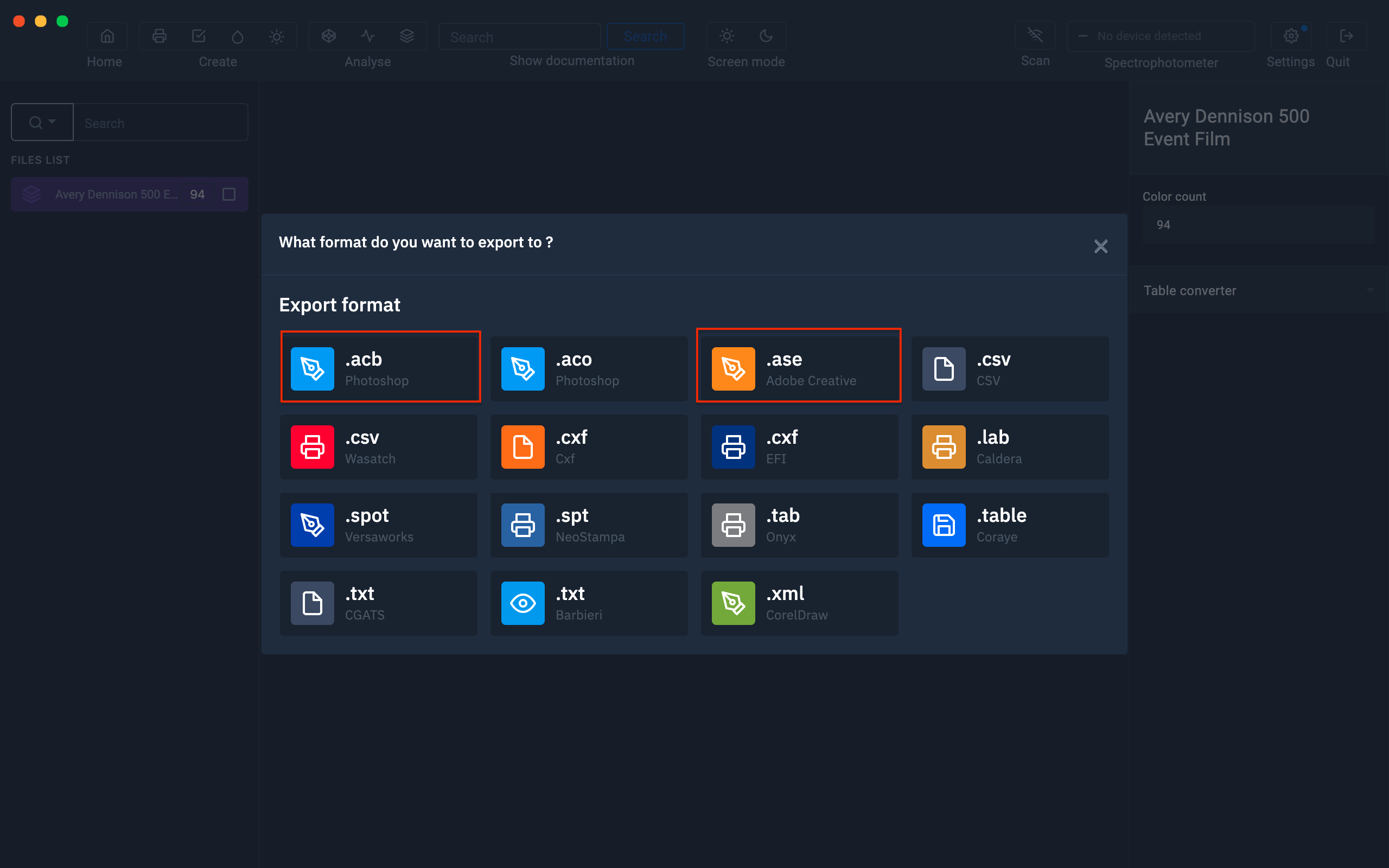
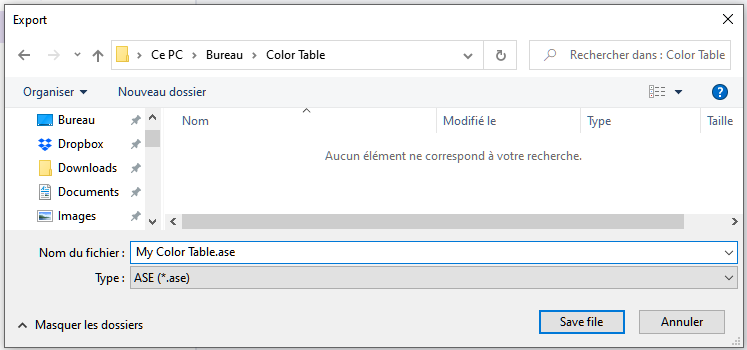
Give a name before saving your file (eg: My Color Table.ase)

[![Export ase.png](https://wiki.coraye.com/uploads/images/gallery/2023-04/scaled-1680-/export-ase.png)](https://wiki.coraye.com/uploads/images/gallery/2023-04/export-ase.png)
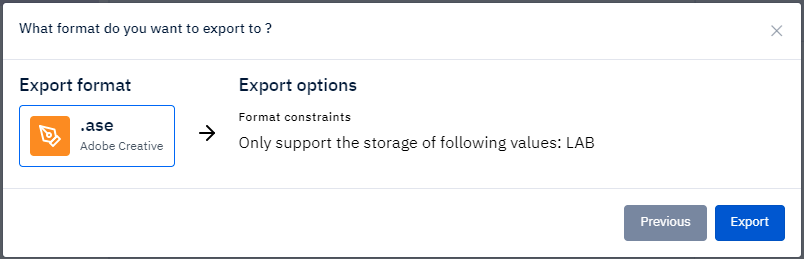
Then save your file locally

[![Export ase 2.png](https://wiki.coraye.com/uploads/images/gallery/2023-04/scaled-1680-/export-ase-2.png)](https://wiki.coraye.com/uploads/images/gallery/2023-04/export-ase-2.png)
##### Importing the .ase color chart into Affinity

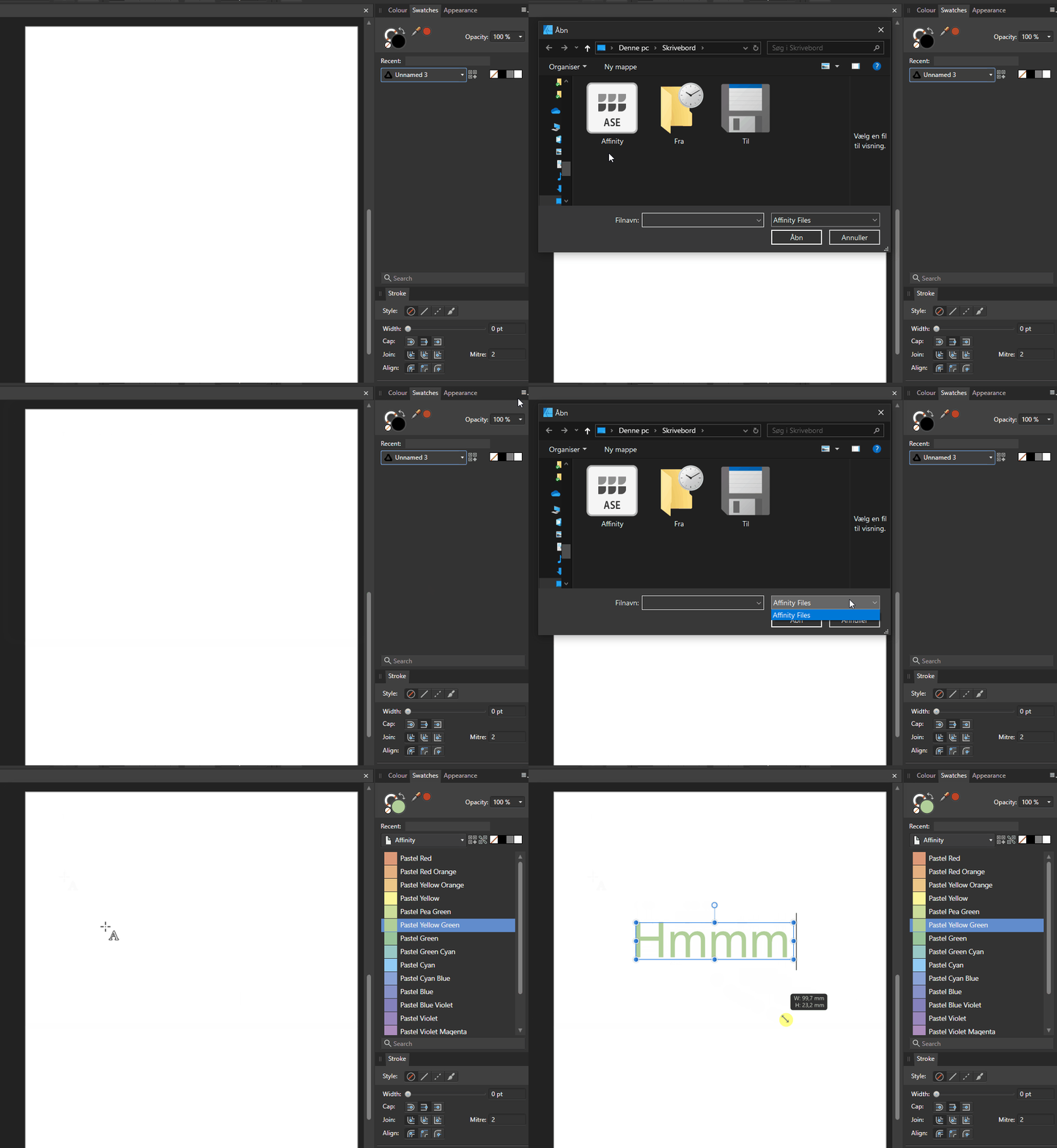
Affinity apps import ASE (Adobe Swatch Exchange) formats/pallets. To import them go to the Swatches panel, click on the small menu icon at the top right of the panel and select Import Palette..., then the desired palette type (document/application or system palette) and finally select it. ase file from the dialog box that will open.

<div id="bkmrk--0"><div><svg class="svg-icon" data-icon="link" role="presentation" viewbox="0 0 24 24" xmlns="http://www.w3.org/2000/svg"></svg><div>[![Import ase Affinity.gif](https://wiki.coraye.com/uploads/images/gallery/2023-09/import-ase-affinity.gif)](https://wiki.coraye.com/uploads/images/gallery/2023-09/import-ase-affinity.gif)</div></div></div>