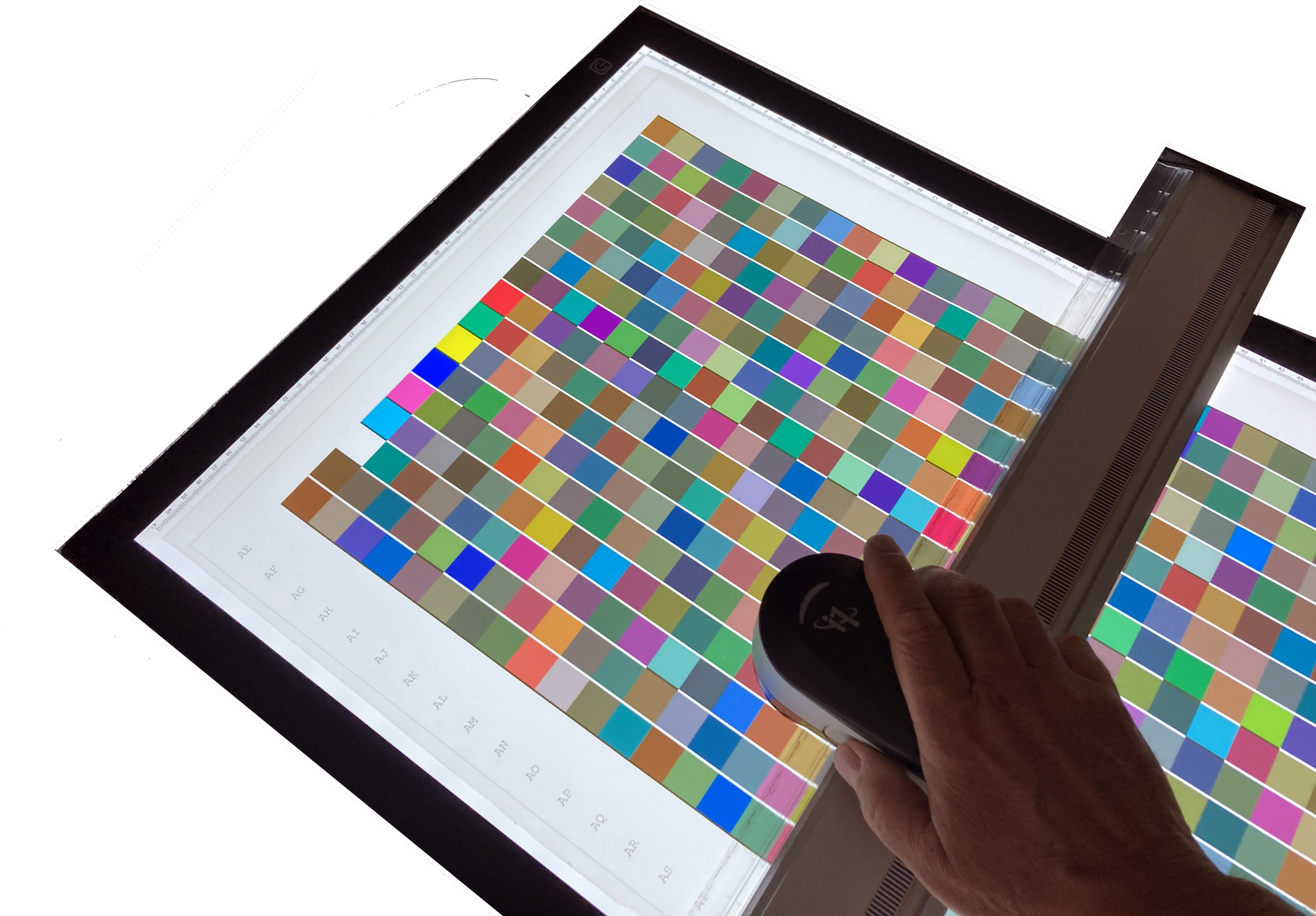
# Characterization of a backlit in transparent mode with the I1 Pro 3 + XRite

Here is a more economical, less fragile and more "transportable" alternative solution than the imposing measurement tables offering the reading of scales in transparency mode for the characterization of backlit media for example.

This functionality is available from version 1.31.0 of Coraye

[![I1 Pro3+ Transp.png](https://wiki.coraye.com/uploads/images/gallery/2023-06/scaled-1680-/i1-pro3-transp.png)](https://wiki.coraye.com/uploads/images/gallery/2023-06/i1-pro3-transp.png)

---

Prerequisites:

\- Coraye software RGB Profiler or CMYK Profiler modules  
Please note that it is also possible to use this functionality in the Print Control module  
\- XRite I1 Pro 3 PLUS spectrophotometer  
\- LED Tracing Light Pad light table in A3 or A2 format  
\- Printed targets on transparent Backlit type support

Choice of light table:

It is important to choose a homogeneous and sufficiently large light table.

[![LED Tracing Light Pad A2_.jpg](https://wiki.coraye.com/uploads/images/gallery/2023-06/scaled-1680-/led-tracing-light-pad-a2.jpg)](https://wiki.coraye.com/uploads/images/gallery/2023-06/led-tracing-light-pad-a2.jpg)

##### Start of the procedure

In order to avoid rewriting the entire procedure of the RGB Profiler and CMYK Profiler modules, we will assume that you have created and printed the targets on your transparent Backlit support.  
We will therefore start this tutorial at the step where we will launch the measurement of the target.

<p class="callout warning">Important: Make sure your spectrophotometer is connected to a USB port directly on your computer and not to a USB hub  
The XRite I1 Pro 3 PLUS are powered via the USB port,.  
If the power supply from the USB port is not sufficient, the spectro will be recognized, but at the time of calibration the software will go into error.</p>

<p class="callout info">Note: There is no limitation on the number of patches making up the targets intended to be measured in "transmissive" mode,</p>

<p class="callout warning">IMPORTANT:  
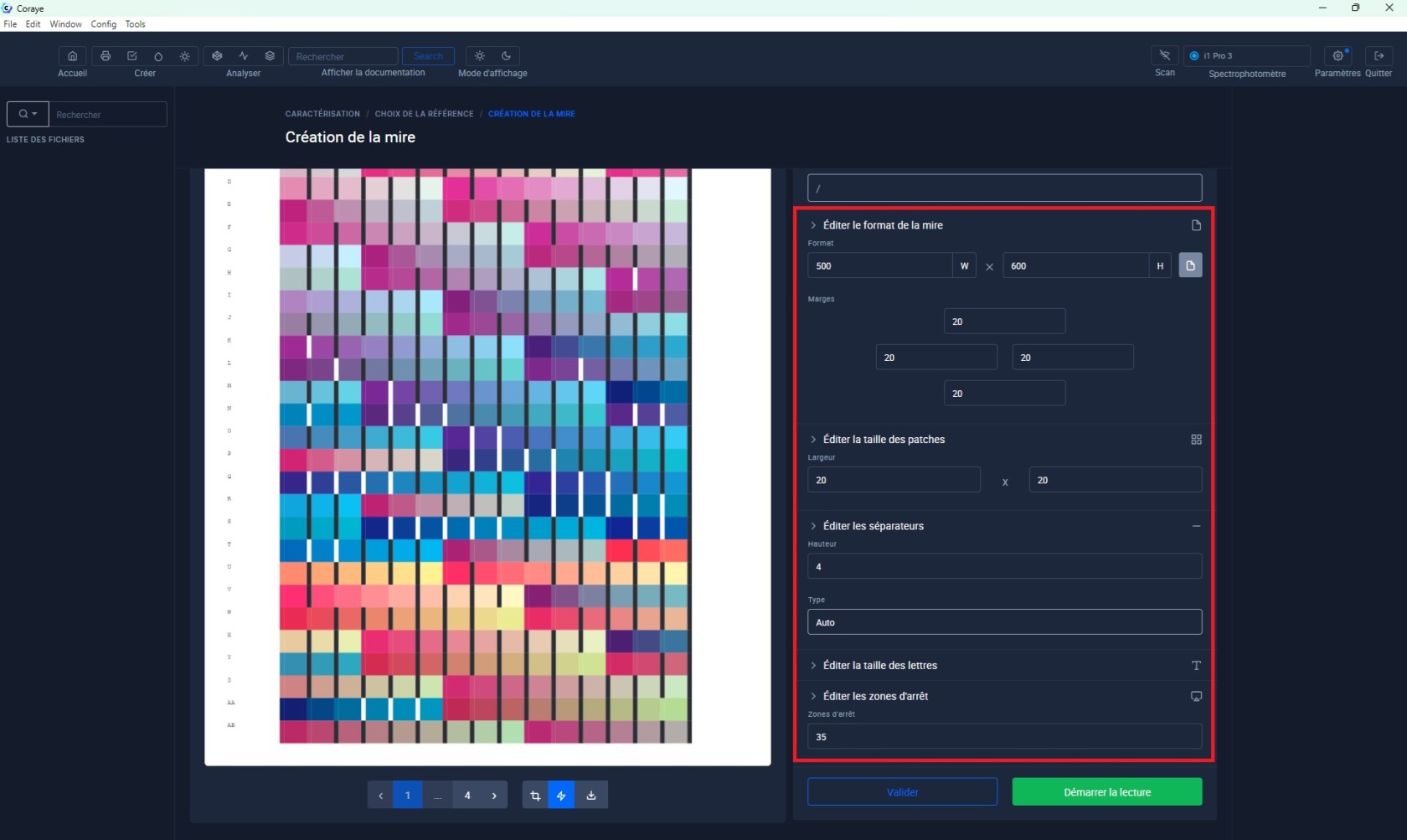
To facilitate the measurement of the target in transmissive mode with the I1 Pro 3 +, it is advisable to create sufficiently large patches (20x20 mm) with 4 mm "Auto" separators and a 35 mm stop zone.  
If you are using an A3 or A2 light table, you can create targets in 500x600 mm format  
  
[![mire-11-pro3.png.jpg](https://wiki.coraye.com/uploads/images/gallery/2025-01/scaled-1680-/mire-11-pro3-png.jpg)](https://wiki.coraye.com/uploads/images/gallery/2025-01/mire-11-pro3-png.jpg)</p>
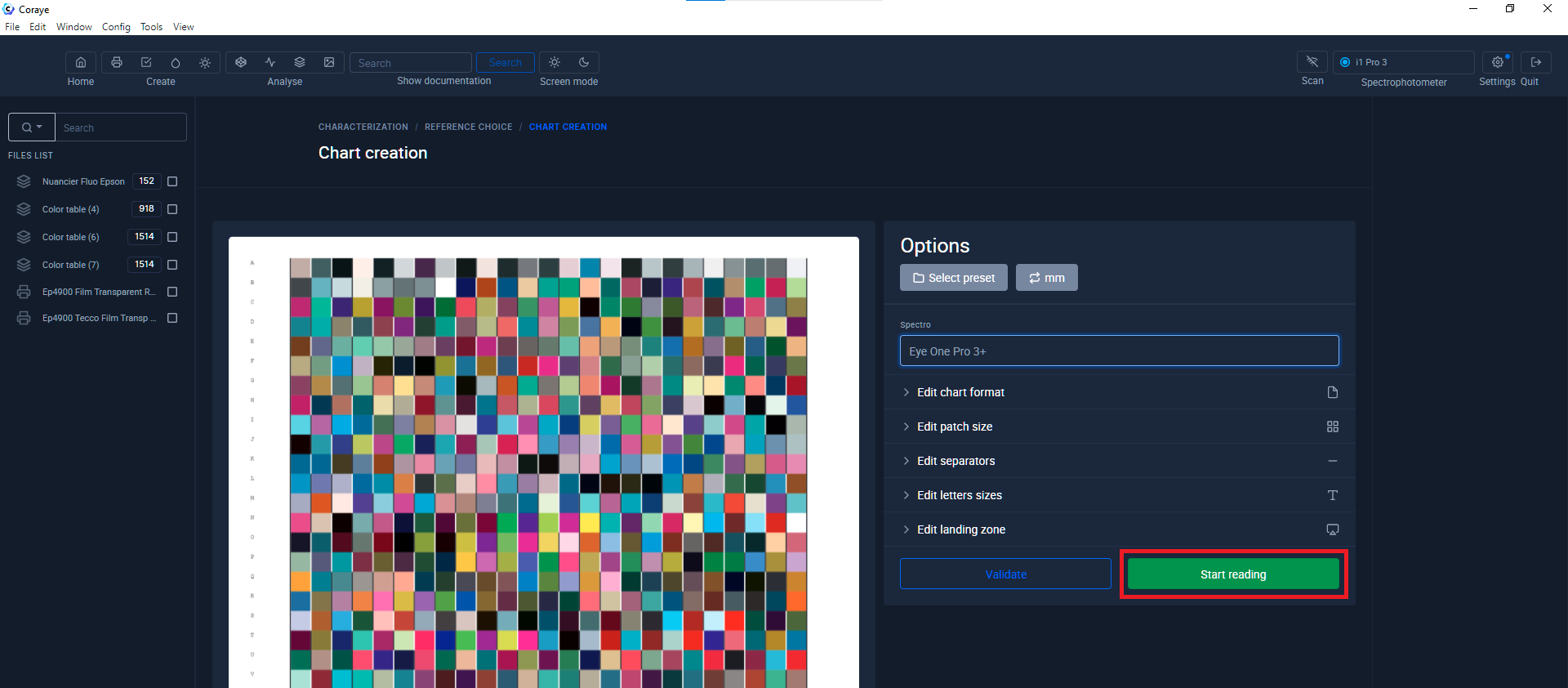
Click the "Start Reading" button

[![Mesure gamme transparente 1.png](https://wiki.coraye.com/uploads/images/gallery/2023-06/scaled-1680-/mesure-gamme-transparente-1.png)](https://wiki.coraye.com/uploads/images/gallery/2023-06/mesure-gamme-transparente-1.png)

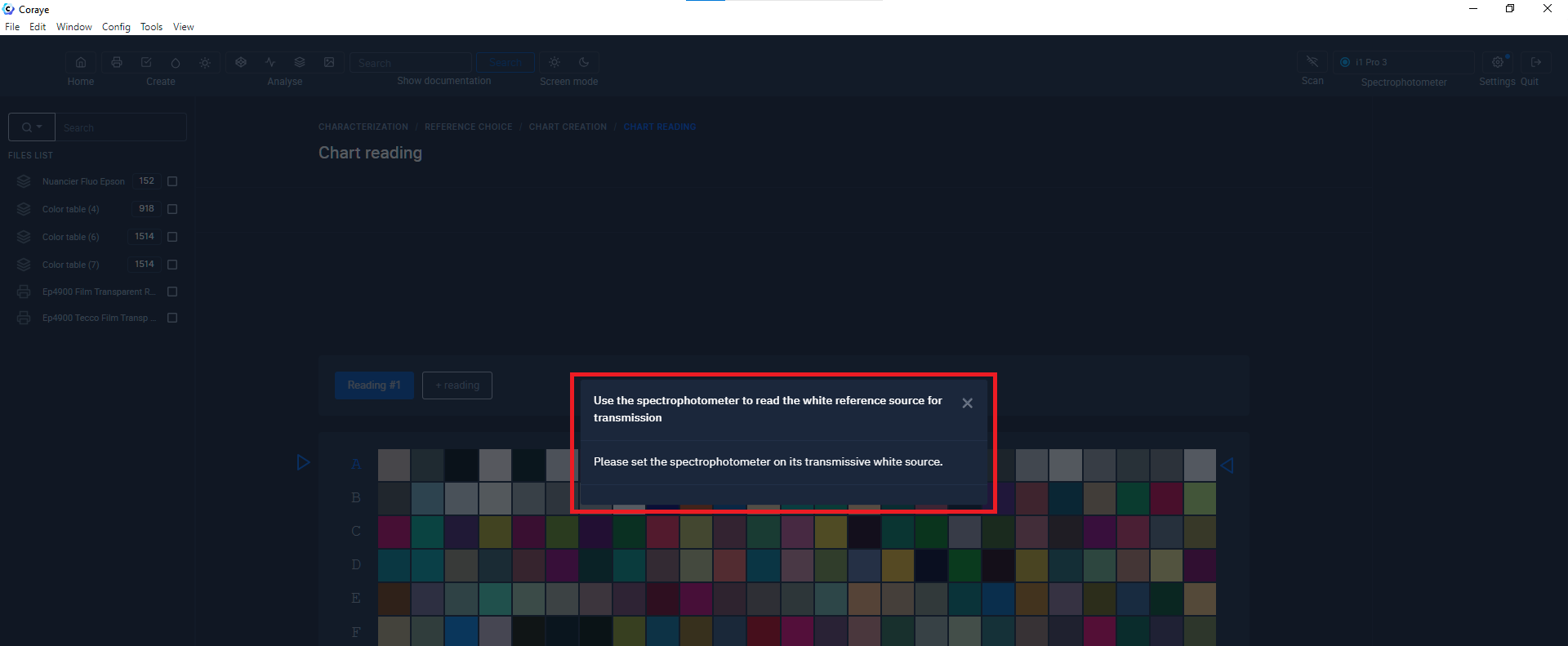
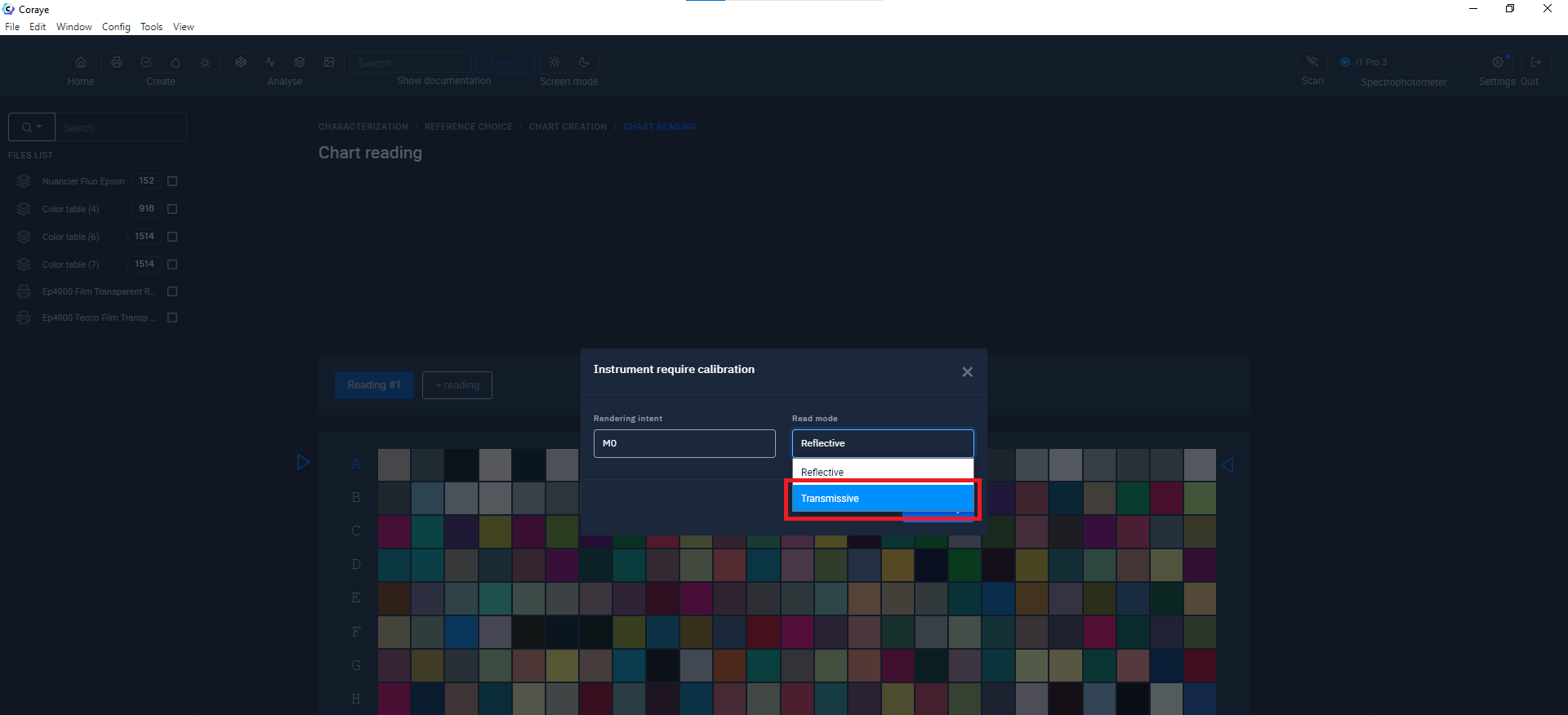
#### Choice of measurement mode: Transmissive mode"

[![Mesure gamme transparente 2.png](https://wiki.coraye.com/uploads/images/gallery/2023-06/scaled-1680-/mesure-gamme-transparente-2.png)](https://wiki.coraye.com/uploads/images/gallery/2023-06/mesure-gamme-transparente-2.png)
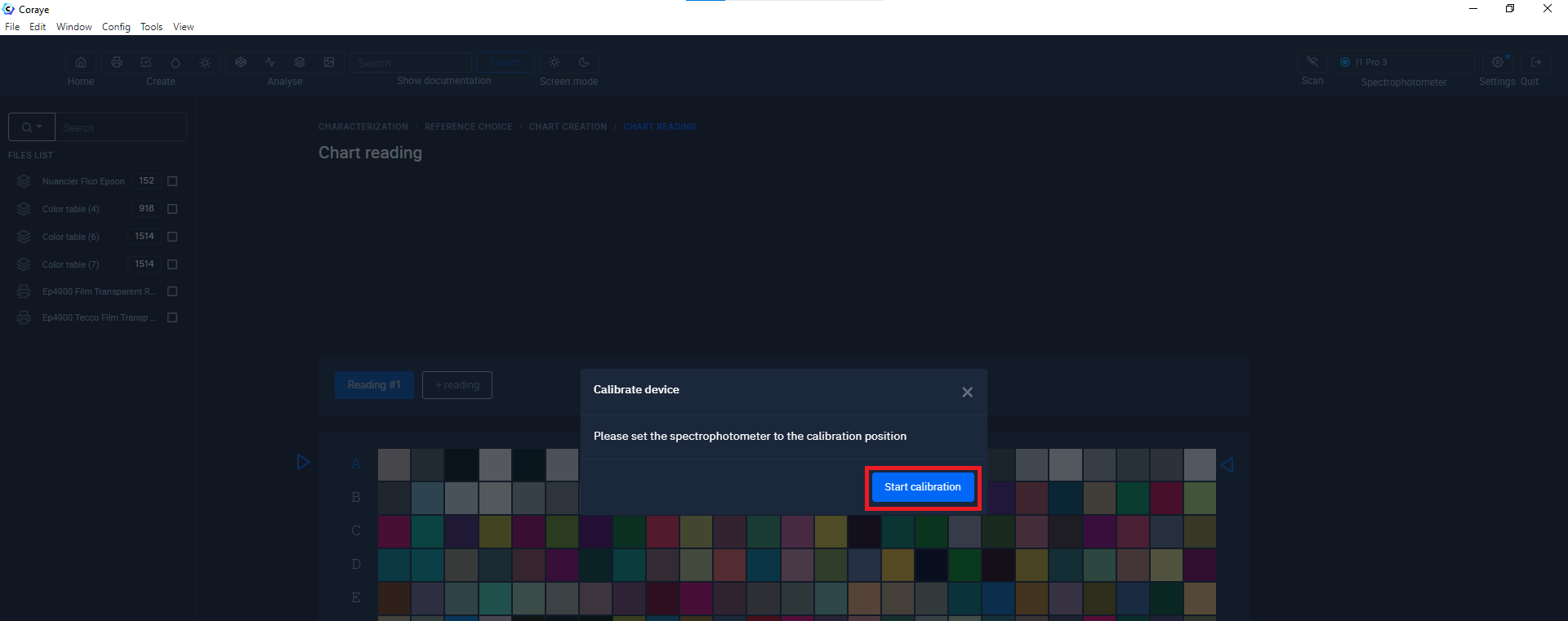
##### Calibrating the I1 Pro 3 PLUS spectrophotometer

Before clicking on the "Start calibration" button, position the I1 Pro 3 PLUS on its base.

[![Calibration I1 Pro 3_.jpg](https://wiki.coraye.com/uploads/images/gallery/2023-06/scaled-1680-/calibration-i1-pro-3.jpg)](https://wiki.coraye.com/uploads/images/gallery/2023-06/calibration-i1-pro-3.jpg)
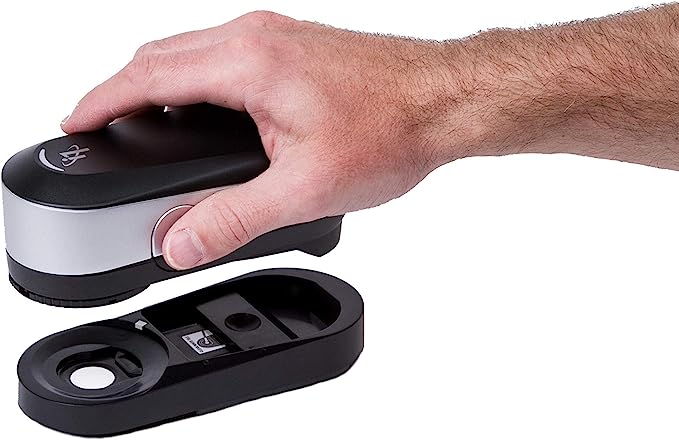
Make sure that the white calibration ceramic is not covered by the protection

Click on the "Start calibration" button

[![Mesure gamme transparente 3.png](https://wiki.coraye.com/uploads/images/gallery/2023-06/scaled-1680-/mesure-gamme-transparente-3.png)](https://wiki.coraye.com/uploads/images/gallery/2023-06/mesure-gamme-transparente-3.png)
##### Measuring the illuminant of the light table

This step is important because the value of the light source measured on the table will allow the spectral values ​​to be used as a reference.

[![Mesure gamme transparente 4.png](https://wiki.coraye.com/uploads/images/gallery/2023-06/scaled-1680-/mesure-gamme-transparente-4.png)](https://wiki.coraye.com/uploads/images/gallery/2023-06/mesure-gamme-transparente-4.png)

Measure the light table directly with your spectrophotometer.

[![Mesure Lumiere de ref.jpg](https://wiki.coraye.com/uploads/images/gallery/2023-06/scaled-1680-/mesure-lumiere-de-ref.jpg)Mesure de la lumière de référence](https://wiki.coraye.com/uploads/images/gallery/2023-06/mesure-lumiere-de-ref.jpg)
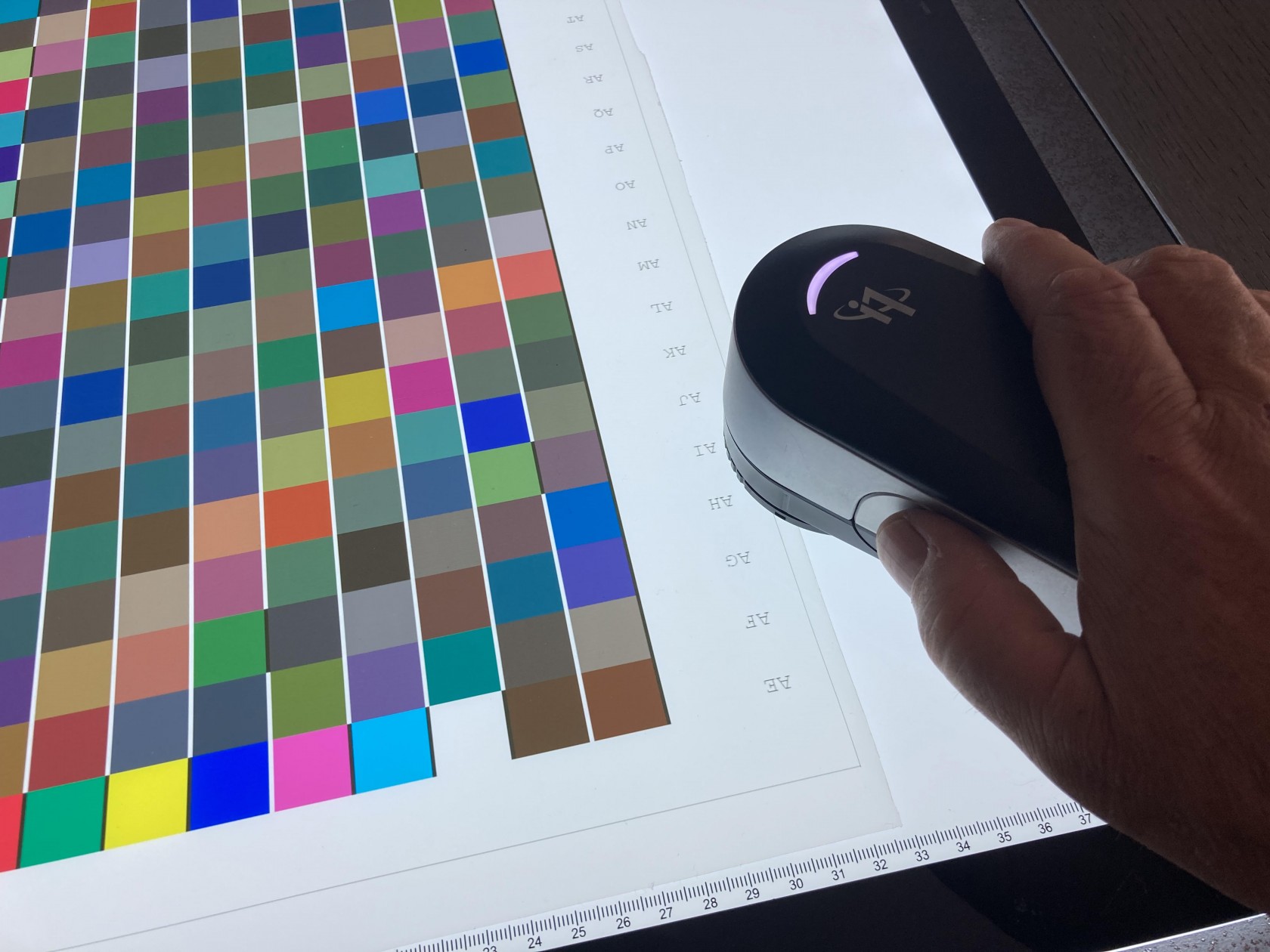
<p class="callout warning align-center">Warning: Do not change the light output of the table after measuring it.</p>

##### Measuring the target

From now on you can start measuring line by line

[![Mesure gamme transparente 5.png](https://wiki.coraye.com/uploads/images/gallery/2023-06/scaled-1680-/mesure-gamme-transparente-5.png)](https://wiki.coraye.com/uploads/images/gallery/2023-06/mesure-gamme-transparente-5.png)
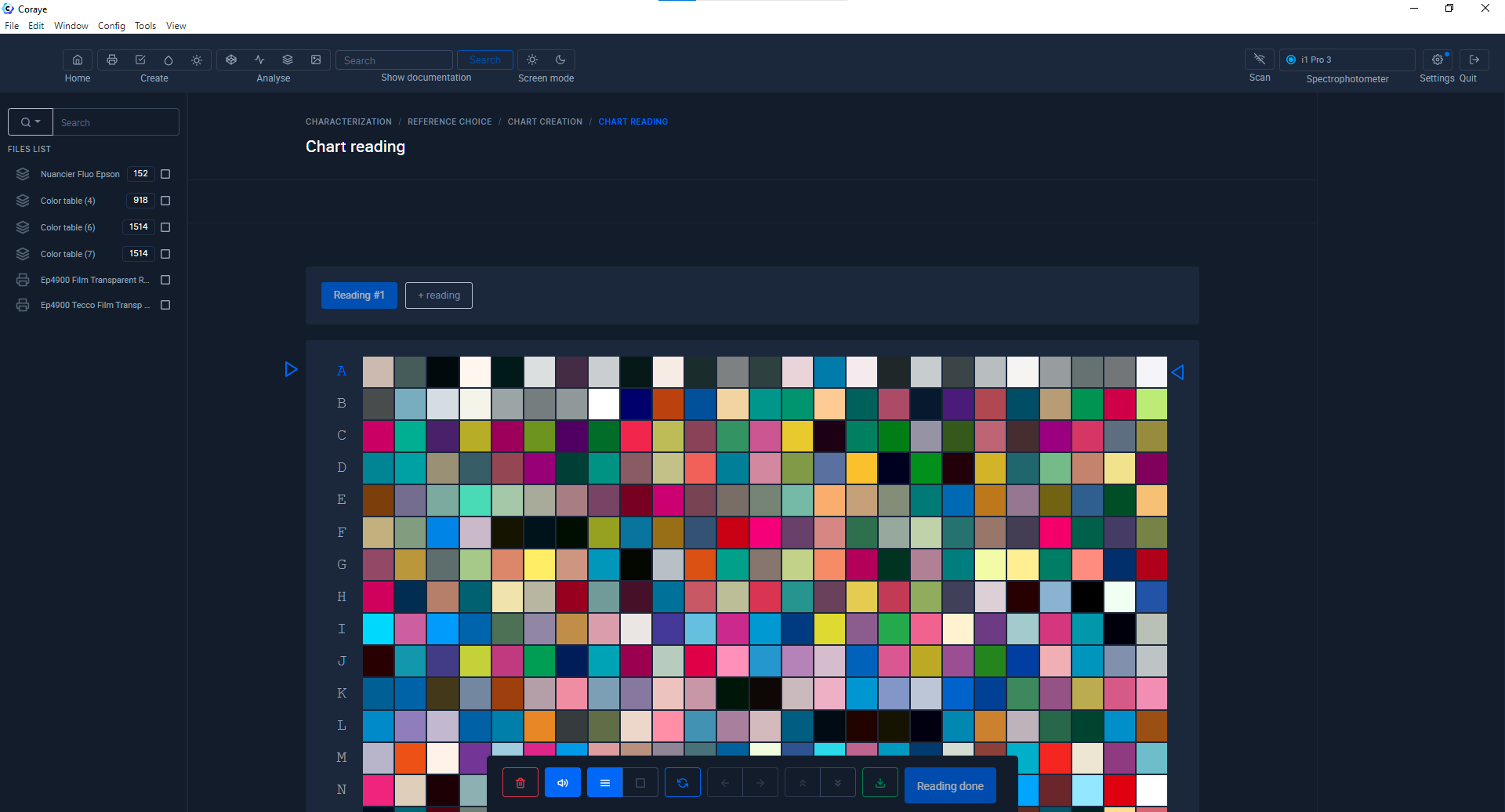
<p class="callout warning">Caution! The measurement rate must be slower than for measuring a range measured in reflective mode.</p>

[![Mesure Transparent.png](https://wiki.coraye.com/uploads/images/gallery/2023-06/scaled-1680-/mesure-transparent.png)](https://wiki.coraye.com/uploads/images/gallery/2023-06/mesure-transparent.png)

The cadence must be slower than for measuring a target measured in reflective mode.

##### Calculating the Profile

When the reading of the target is finished, you can resume the normal procedure for creating your ICC profile.

<div class="pointer-container" id="bkmrk-%C2%A0"><div class="pointer anim is-page-editable"><svg class="svg-icon" data-icon="link" role="presentation" viewbox="0 0 24 24" xmlns="http://www.w3.org/2000/svg"></svg><div class="input-group inline block"> <button class="button outline icon" data-clipboard-target="#pointer-url" title="Copy Link" type="button"><svg class="svg-icon" data-icon="copy" role="presentation" viewbox="0 0 24 24" xmlns="http://www.w3.org/2000/svg"></svg></button></div><svg class="svg-icon" data-icon="edit" role="presentation" viewbox="0 0 24 24" xmlns="http://www.w3.org/2000/svg"></svg></div></div>##### [Create a profile from a standard target](https://wiki.coraye.com/books/manuel-coraye-fr/page/creer-un-profil-a-partir-dune-mire-standard#bkmrk-sauvegarde-de-la-mes "Create a profile from a standard target")